3LT Pro Team Member & Time-Lapse Photographer Chad Higgins has written a two-part guest blog all about Understanding the Art of Time-Lapse Photography.
At its foundation, time-lapse photography involves capturing a series of still images at set intervals and then combining them in sequence to create the impression of time passing rapidly. Combining the stills together using an editing program, the result of your efforts can be viewed as a video. This technique allows photographers to compress minutes, hours, days, or even years into a matter of seconds, revealing transformations, patterns and stories that might otherwise go unnoticed in real-time observation.
I've been shooting time-lapse professionally for fourteen years for television and film productions and the driving reason of why I still continue to do it? It reminds me of shooting on film. You have an idea of what you're going to end up with after a bit of experience but there's always some surprises once it's all edited and you're watching the footage back!

Essential Equipment for Time-Lapse Photography
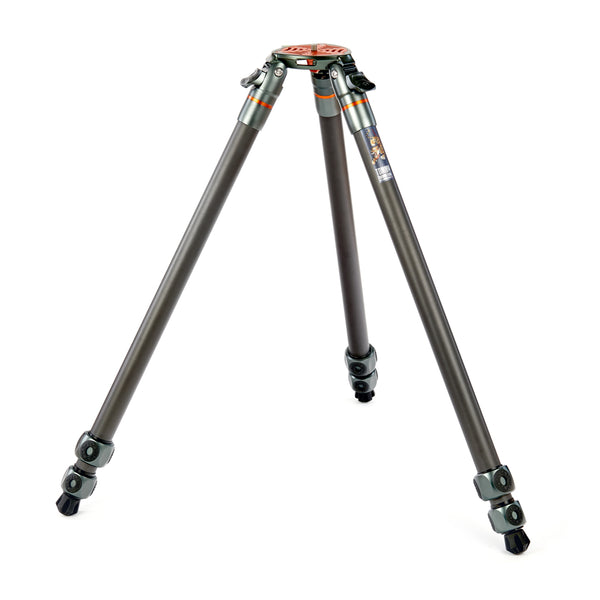
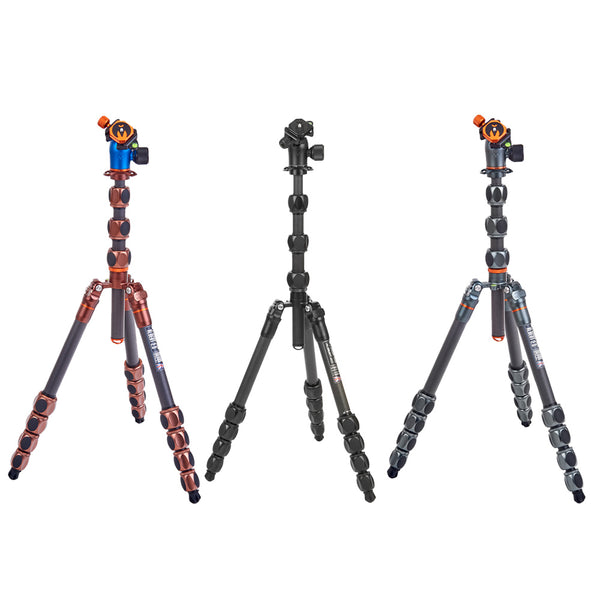
When starting on your time-lapse journey it's essential to have a strong and reliable tripod. Any shake or wobble in any of your images (even if it's just one) will be noticeable in the final video.Tripods with detachable legs will also come in handy should you desire to venture into Hyperlapse techniques.
When it comes to camera selection, it's all down to your budget. Most modern DSLR and mirrorless cameras will shoot at least 4K in resolution if not more which is perfectly reasonable and useable for publishing and selling your work. If you're working on a tight budget, a second hand camera will get you up and running. The main thing you need is the ability to shoot in manual mode as a bare minimum.
The beating heart of any time-lapse setup is the intervalometer, a bit of kit that triggers the camera at specified intervals. Some cameras come equipped with built-in intervalometers, while others require an external one that connects to the camera. Beware though as some of the built-in intervalometers will produce a video file on your memory card rather than a series of stills and you'd ideally be looking to capture raw images which will give you greater control whilst editing everything together.

Mastering the Technique
Crafting a fascinating time-lapse sequence comprises of a combination of technical precision and artistic vision. Here are key considerations to keep in mind:
1. Choosing the Right Interval
This will depend on your subject. There are no definitive rules for this and as your experience broadens you'll discover what interval works best for what you're trying to achieve. As a rough guide though:
People – 1 to 2 seconds
Clouds – 3 to 10 seconds (adjust for wind speed or type of clouds!)
Sunrise / Set – 10 to 15 seconds
Stars – between 10 and 30 seconds (depending on aperture and ISO settings)
Flowers / plants - anything from 3 seconds to several minutes
Construction – 1 minute upwards
You'll also want to keep in mind write times to your memory card and allow for this as if the interval is too short the buffer in the camera will eventually fill and interrupt your perfectly timed sequence resulting in missed shots and jumps in the final video.

There's a formula for working out intervals if you're restricted on time or you just want to shoot a certain length of clip. Let's take a clip edited at 25 frames per second (fps). You'll need 250 images to make a ten second video. To work out how long it will take to capture this, multiply 250 by your interval then divide that by 60.
If we had a 6 second interval that would work out at a 25 minute shooting time. If you only had a 30 minute window to shoot, you multiply 60 by 30 (total seconds) then divide that by your desired length of clip in frames (say 250) which gives you an interval of 7.2 seconds although I'd round that down to 7 seconds as a lot of intervalometers only go down to a single second.
So in summary: (I work out calculations in seconds then divide by 60 for minutes if required)
TF (Total frames to shoot) x Int (Interval) = ST (Total shooting time)
ST / TF = Int
ST / Int = TF

2. Exposure, Aperture and ISO Settings
It's paramount to maintain consistent exposure during your time-lapse. If you're outdoors and not in a controlled studio environment, you'll find that the lighting will inevitably change so you'll need to shoot fully manual. Manual focus on the lens is also imperative as well otherwise you'll end up with back and forth focusing on your final video.
There's only one time you'd use Aperture Priority and that's to cover Long-term time-lapses.
For bigger light changes such as going from night to day or day to night, often known as the Holy Grail in the time-lapse community, you'll need to adjust the exposure – more on that in the Advanced Techniques in part 2.
3. Composition and Framing
Time-lapse as a visual tool is strong but composition should not be overlooked. Framing for a static image is much different to framing for a video and with time-lapse, you'll need to gather enough experience to be able to think fourth-dimensionally as in time! You'll need to be able to roughly predict the future – what will happen within the time you are shooting? The beauty of time-lapse means that you can always continue shooting if something amazing is happening but if whatever you're capturing ends up out of shot you may not be able to re-shoot it.
Experience is key here so the only way to gain that is through multiple (or maybe infinite?) mistakes and trust me when I say this after fourteen years of doing this, I have made many!
Chad Higgins uses: Tommy Tripods, Albert 2.0 Tripod, Trent 2.0 Monopods, Roxie Dedicated L-Brackets, Ellie Universal L-Bracket, AirHed Pro Tripod Heads, Ray Tripod, Valkyrie Camera Backpack, LevelHed Levlling Accessory, Lexie Universal L-Bracket, Leo 2.0 Tripod, Mike Tripod, Vanz Tripod Footwear.
Website:https://feralclock.com/
Instagram: https://www.instagram.com/theferalclock/
Facebook: https://www.facebook.com/feralclock/